
Ok, so we’ve been busy at Pop Up World constantly improving and adding useful features that can make entrepreneurial life more painless, productive and profitable.
This latest addition to the fold of apps and features, should make Content Creators and Viewers of original content very happy indeed!
Pop Up World TV has been born!
What is Pop Up World TV?

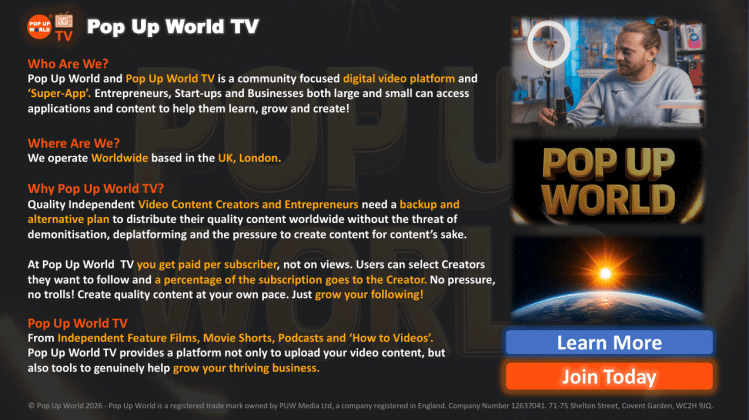
Pop Up World TV allows subscribers (Supporters) to view Original Content, Podcasts, Movies and TV Shows, brought to you by independent video makers (Content Creators) from all over the world!

Most Importantly, Content Creators can make Revenue ($) from the number of Supporters they have on the platform.
Supporters can select the Content Creators they wish to support or they can choose Random Support, so less established Content Creators get a chance to generate randomly assigned revenue.
This means there’s no pressure to create ‘content for content’s sake’. Revenue is based on Supporters, not on views.
Supporters can only change who they support every 6 months, so Creators potentially are able to build a stable revenue stream, if Supporters are served quality content .
High quality content should attract high quality Supporters.
Furthermore, you can also utilise the existing Pop Up World ‘Super App’ ecosystem, to further turbocharge your business.
So, how do you get started and upload content?
In this article, you’ll find out how to do just that.
Here goes…
Creator Upload
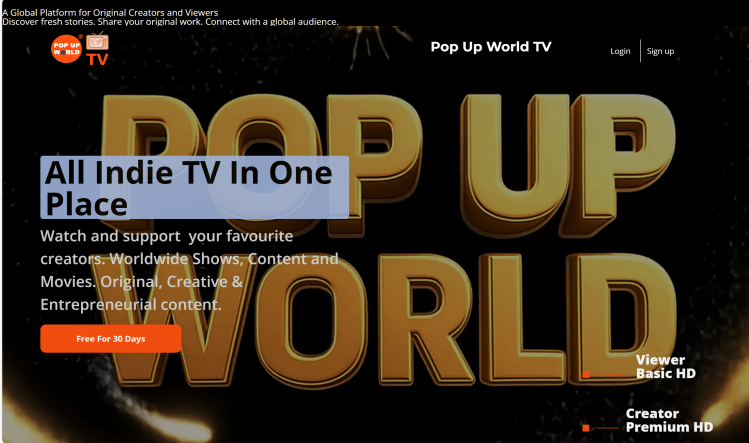
Step 1.
Register as a Creator Premium
The first step in getting your quality content on the platform is to register as a Creator Premium by clicking the link here:
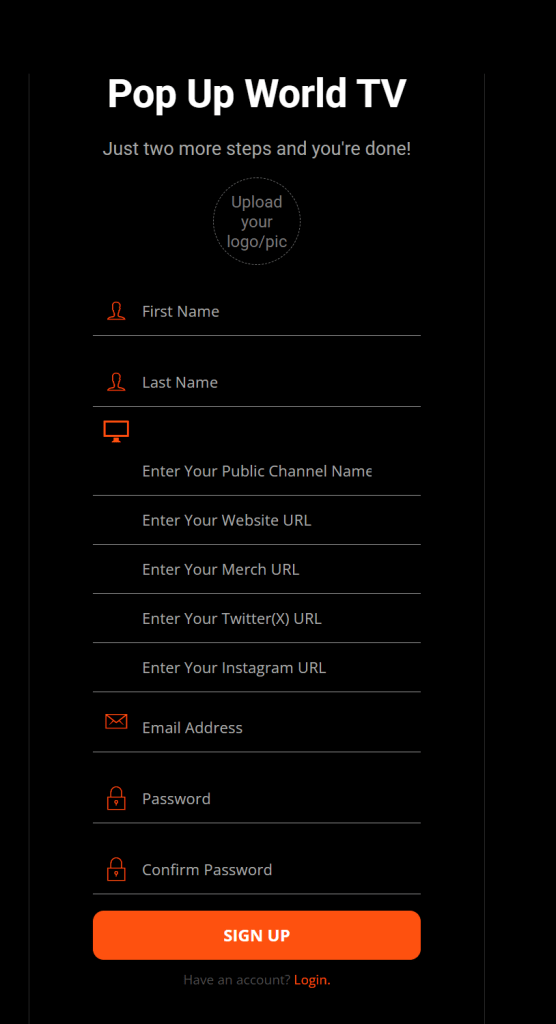
Ensure you include your Logo and your unique Public Channel Name so your Supporters can find you. Include all your socials and website URLs, etc.
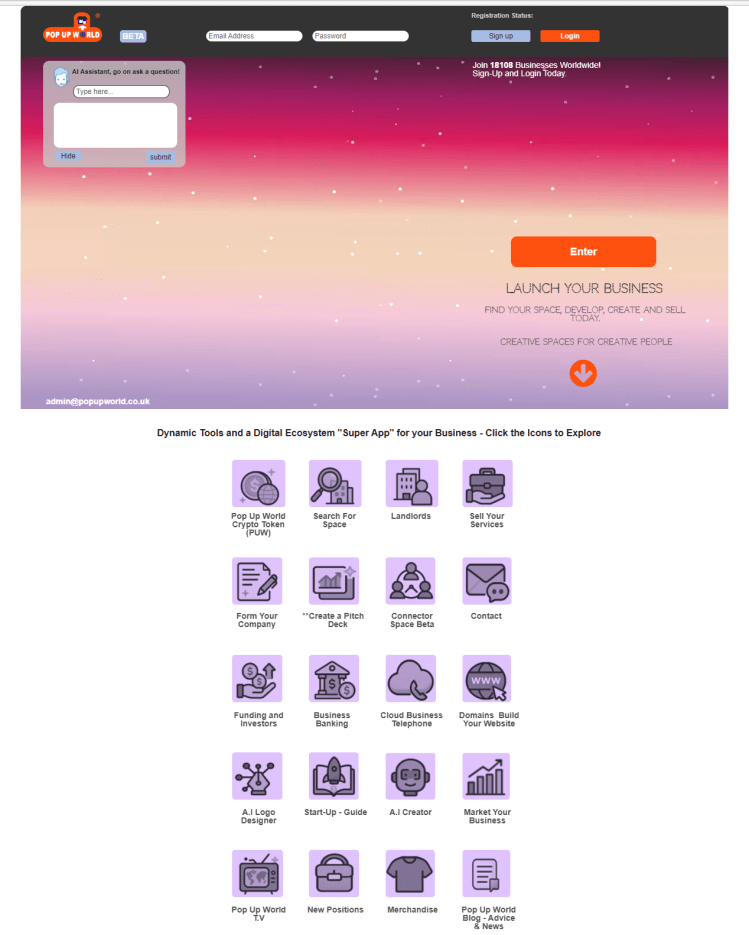
If you don’t have a logo you can create one on the main Pop Up World ‘Super App’ platform, here:
Pop Up World ‘Super App’ Platform – AI Logo Designer
Step 2.
Upload Content
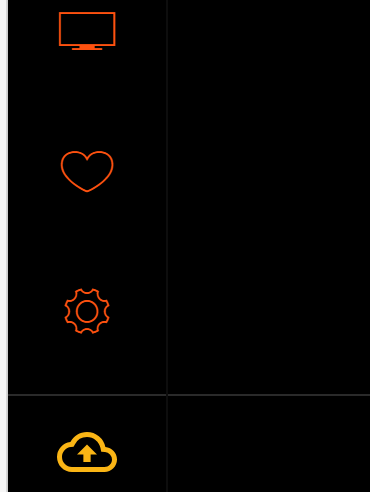
Once registered as a Creator Premium you will see the yellow “Cloud Icon with an Arrow” located on the main Film Page or Shows Page on the left hand side.
Click the Cloud Icon
(***Please note – You will only see the Upload Icon if you have registered as a Creator Premium – If you have registered as a Standard User/Supporter (Viewer Basic) you cannot access this option.
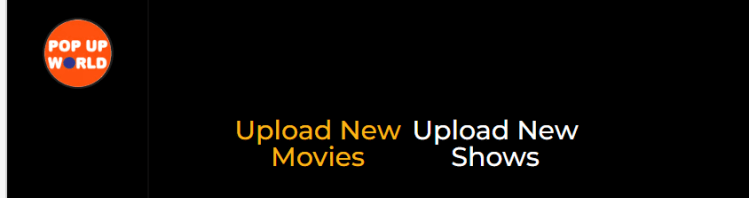
You will see Two Options at the top of the page “Upload New Movies” and “Upload New Shows”.
It’s important you select the correct option for your content.
Click “Upload New Movies” to Upload Movies.
A Movie is a standalone piece. For example, a Feature Film, Short film or Documentary.
Uploaded Movies will appear on the platform after verification (24-48 hours) or more –
Please be patient.
****If your content is a Podcast, a Show with Episodes or Short Form content you need to use “Upload New Shows” instead. (see further down below to Upload A Show).
Step 3.
Uploading A New Movie

(***Content must be original and have no copyright issues, see our Content Policy below for guidance).
After you have clicked the “Cloud Icon” and selected “Upload New Movies” you will see the Creator Upload Page –

Click the “Upload Movie” Icon (+) to open up the Upload Movie Form.
Enter all the details into the “Upload New Movie” Form:
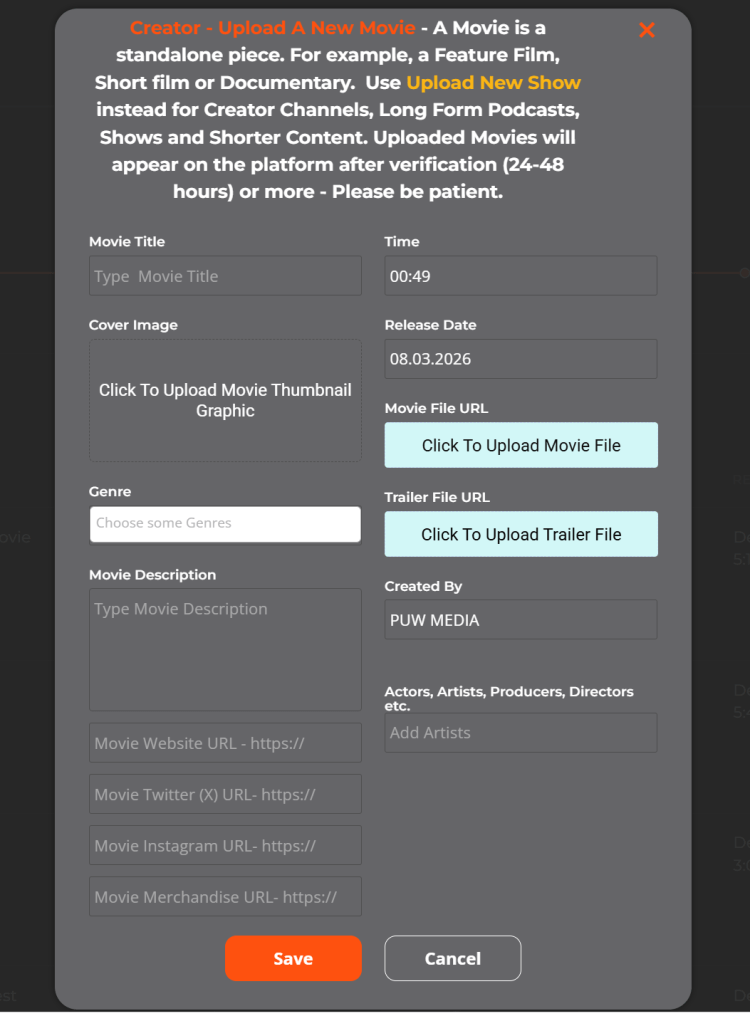
When you’re happy with everything, click the orange “Save” button.
Your Movie content will be uploaded to the Pop Up World TV site. (Be patient, large files can take a while, do not click away).
Congrats! You have uploaded your first Movie!

You should see your upload in the list of Uploaded Movies on the Creator Upload Page.
***Uploaded Movies will appear live on the platform for Users to view only after Verification, allow (24-48 hours) or more – Please be patient.
If there is an issue with Verification we will contact you or if the content is unsuitable for Movie Upload it will be deleted and not appear on Pop Up World TV.
Contact us at admin@popupworld.co.uk if you have any issues with uploading your Movie.
Uploading A New Show
Step 1.
(***Content must be original and have no copyright issues, see our Content Policy below for guidance).
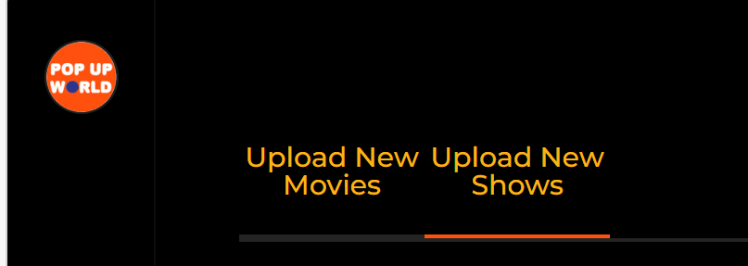
After you have clicked the “Cloud Icon” and selected “Upload New Shows” you will see the Creator Upload Page –
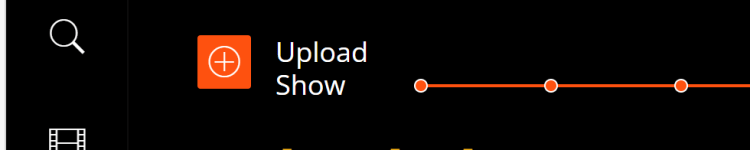
Click the “Upload Show” icon (+) to open up the Upload New Show Form.
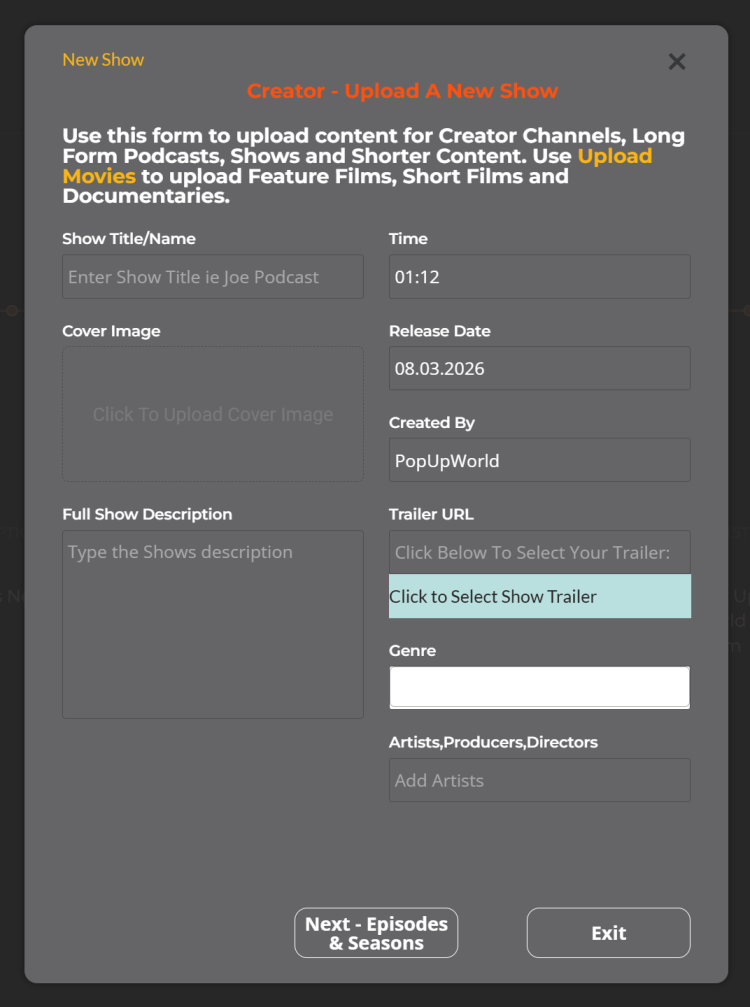
It’s important you select the correct option for your content.
***Use this Form only to upload content for Creator Channels, Content with Episodes, Long Form Podcasts, Shows and Short Form Content.
***Use the “Upload New Movie” option to upload Feature Films, Short Films and Documentaries. (See above).
Show Set Up
Enter all the Show’s details into the “Upload New Show” Form:
Once you are happy with all your entries click on the orange “Next – Episodes & Seasons” button.
If the Show does not exist already a New Show will be created.
If the Show exists already or when the Show is created the elements will turn “Green” –
Click the orange “Next – Episodes & Seasons” button to continue.
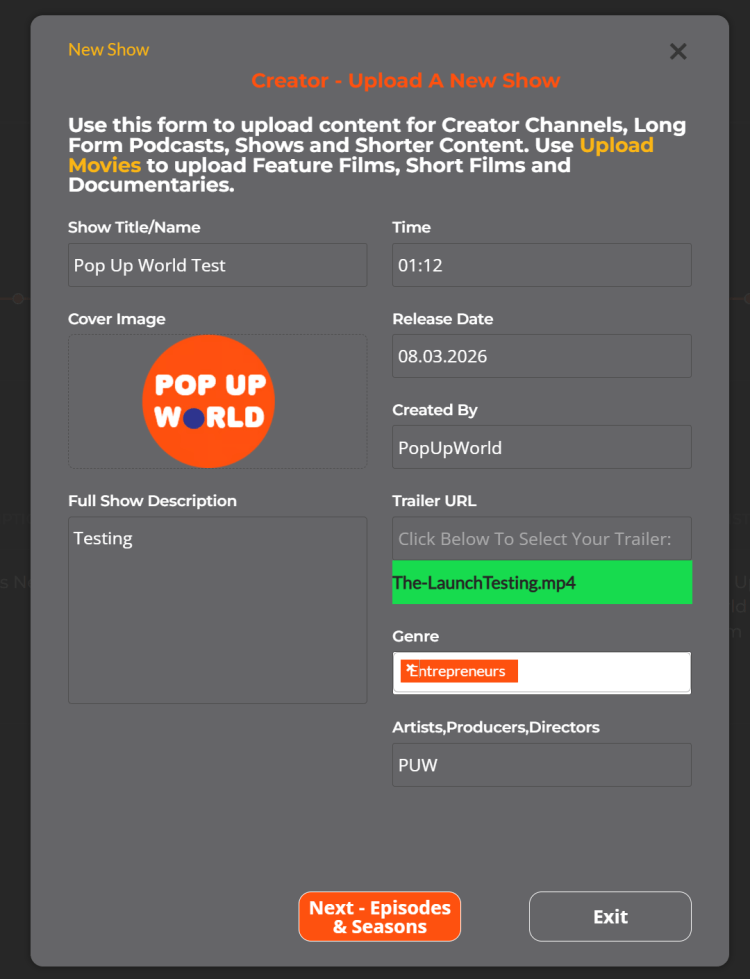
You will see the “New Show Created” Form. Next you will need to enter a Season Name and upload some Episodes.
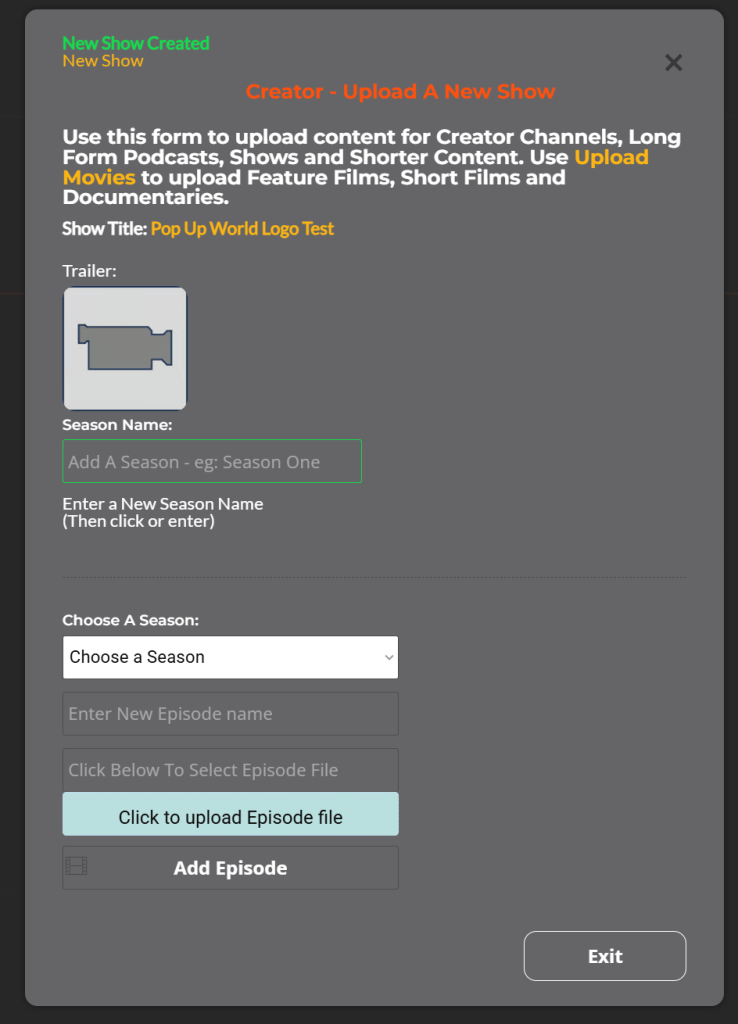
Add Seasons & Upload Episodes
Next, enter a Season Name. For example “Joes Podcast S1“
The new Season Name will populate on the right.
You can then select the Season Name in the dropdown “Choose A Season”.
Enter the Episode Name, for example, “Joes Podcast Season 1 Ep 1“.
Select the Episode Video File you wish to upload by clicking “Click To Upload Episode File”, (the pale blue button).
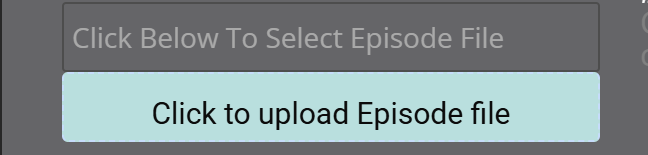
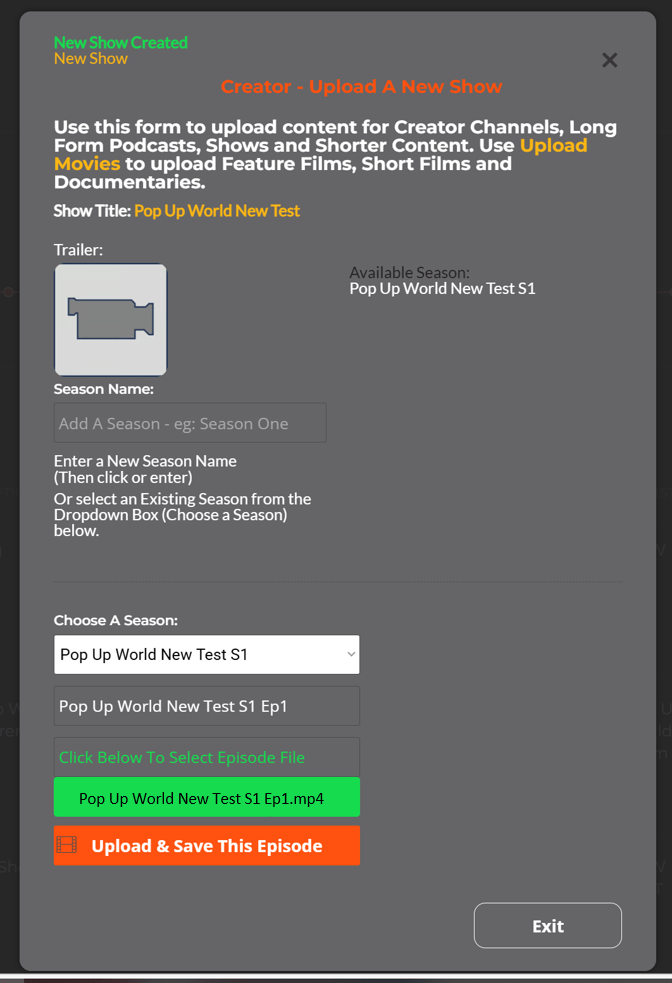
You will see a Progress Bar in percentage (%), please wait until the file is loaded and the field has turned Green. Please be patient large files can take some time to load.
Once loaded, click the orange “Upload and Save This Episode”, to upload and finalise the upload.
At the bottom of the page you will see “Uploading…”

Please wait until the upload has completed.
You will then see the Trailer Logo populated at the top of the Form and the uploaded Episode Name on the bottom right.
You will need to select the Season in the “Choose A Season” dropdown to see uploaded Episodes for that particular Season.
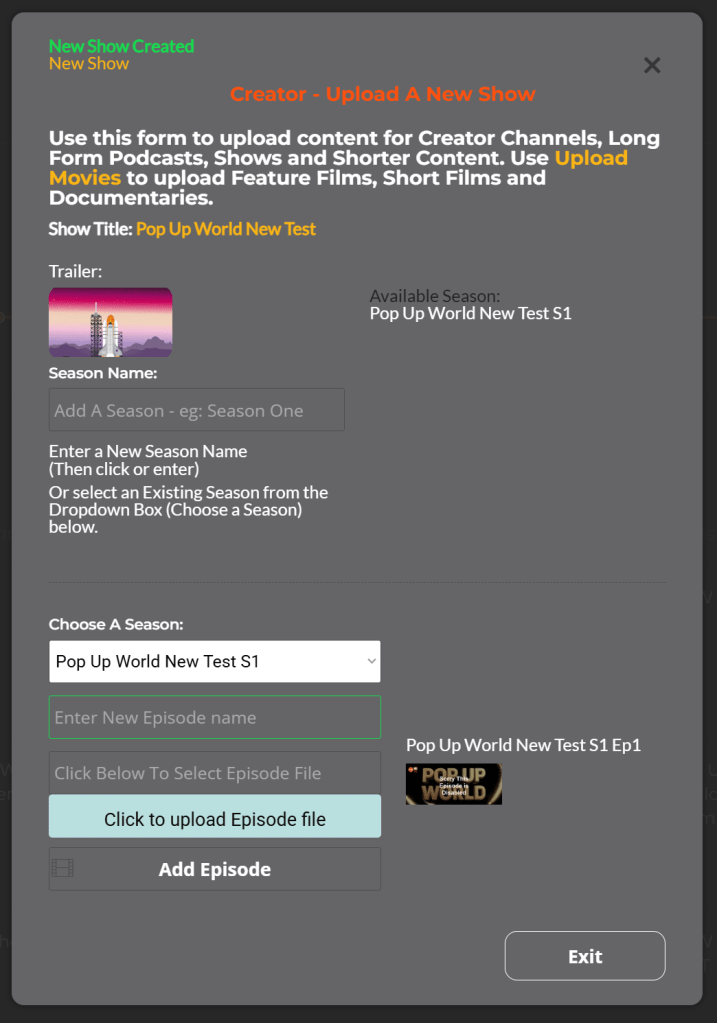
You can repeat the process and add more Episodes if required.
You can also Exit and add additional Episodes as and when you create them later. (Just remember to enter the exact Show Name in the Upload Form and click Next-Episodes and Seasons. (The fields will be highlighted green).
Congrats! You have created your first Show, Season and uploaded Episodes!

You should see your upload in the list of Uploaded Shows on the Creator Upload Page.
Creators with a valid subscription will be Verified automatically and can upload Shows and Episodes directly to the platform.
Uploaded Shows will be available immediately for Users/Viewers to watch.
Contact us at admin@popupworld.co.uk if you have any issues with uploading your Show and Episodes.
Content Policy
Here are some guidelines as to the type of content that will be accepted on Pop Up World TV:
a) Only Original Content will be accepted.
b) Uploaded Content must not consist primarily of other Creator’s Content.
c) AI Generated Content should not be repetitive or excessively automated in nature. AI Generated Content should not pass off or imitate any living or deceased person, celebrity, known figure or infringe the copyright and intellectual property of fictional characters.
AI Generated Content should not imitate other Content Creators. Where AI Generated content offers Factual Information to viewers the information should be accurate and should not aim to deceive viewers.
d) Uploaded Content should not contain excessive advertising or promotion.
e) The uploading of sexually explicit material is prohibited. Such content will not be approved and will be deleted. No payment will be due for Content Creators who upload such content.
f) Uploaded Content should offer Value, Entertainment or Education to viewers.
g) Uploaded Content should not be political in nature unless Factual, Educational or a Documentary. Such content should be balanced and aim to offer multiple viewpoints.
h) Uploaded Content should not promote illegal activities including drugs, violence or other criminal acts unless in the context of a Movie, Short Film or Entertainment.
i) Uploaded Content must not infringe the copyright or IP of any third party, including film rights, image, music and written works.
j) Uploaded Content should be uploaded only once with an appropriate Title and Description. Titles and Descriptions should relate to the content provided and should not be used to “click bait” or deceive Viewers as to the nature of the content uploaded.
k) Pop Up World TV has the right to alter or vary the Content Policy at any time.
We retain the right to remove any content we believe is unsuitable or detrimental to viewers or our brand. By uploading to Pop Up World TV you agree to adhere to these guidelines.
Please look at our website for the full Privacy Policy and Terms and Conditions:
Final thoughts
Pop Up World TV offers original Content Creators an alternative platform to reach new audiences and build stable revenue without the pressure to create content purely for ‘content’s sake’ and for views alone.
Savvy Content Creators who create compelling material should be able to build a loyal following over time.
Furthermore, the platform offers less established Creators the opportunity to gain new Supporters and potential Revenue early on via the Random Support option.
Viewers can choose to watch the Content Creators they support or be introduced to new material that they would never have found otherwise.
Pop Up World TV offers the opportunity to build a genuine content creation business with the bonus of additional tools available within the Pop Up World ‘Super App’ ecosystem to help market and turbocharge your content.
Are you ready to take off?
Good luck!
Virtual Heaven (Back To Reality) 2017 – (Graham Jules)
Watch The Trailer on Pop Up World TV

Read about the full ‘Alien Agenda’ in an exciting Sci-Fi – Illustrated Screenplay Format Book – Limited edition copies available on Amazon. Virtual Heaven (Back to Reality) – by Graham Jules.
Pop Up World token has a growing ecosystem and is one to watch for the future.
***Disclaimer: This article is not financial advice and is given for informational and entertainment purposes only. Readers should conduct their own research and not invest more than they can afford to lose. Crypto is extremely volatile, and as such can drop in value considerably without notice. Pop Up World has a global presence and is not specifically targeting any jurisdiction with its content. Any crypto references are not intended for UK businesses or consumers. You should always seek legal advice to understand if the use or investment in crypto is allowed in your jurisdiction.
Pop Up World YouTube Reviews:
Review. Malik Atif – Hindi -Urdu
Review. Inside Crypto – Hindi – Urdu
Review. Convincing Crypto – English
The Pop Up World Token is designed specifically for entrepreneurs, to store value and to utilise on our platform Pop Up World. Join the revolution in financial freedom today.
Get the token on Cardano Decentralised Exchanges (DeXs), MuesliSwap, SundeSwap, Wingriders and Minswap. Or click the link here:
Pop Up World token has a growing ecosystem
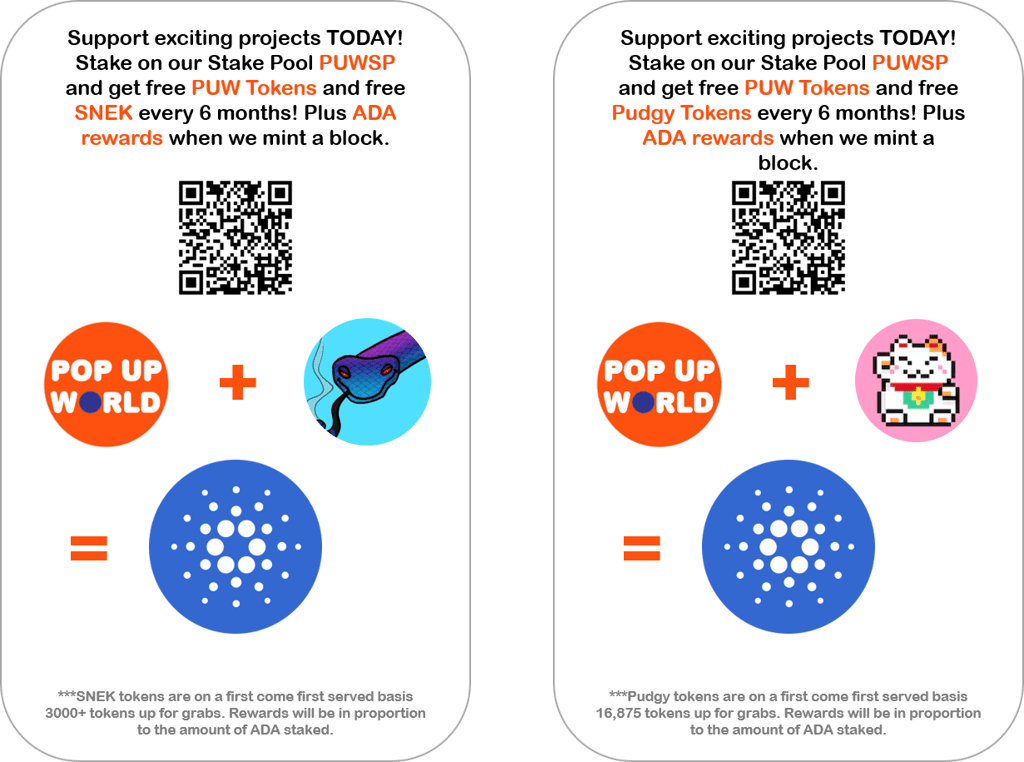
Earn and help support the Pop Up World Blog and entrepreneurs worldwide by joining our Pop Up World Stakepool! Go to https://popupworld.co.uk/popupworldstaking
Thanks!
Want to learn how to stake on Cardano? Read this article:
It starts with an idea. Pop Up World is a platform that helps start-ups and small businesses reach for the stars. No matter what size you are. Use our start-up guide Business Zero to Superhero, Design your Logo. Connect with investors via our Investor Connector. You can start a Website and Domain name. You can Search for and promote your Premises. You can promote your idea for free on our Pop Up World Ads site, you can even form a Limited Company You can also join us on our journey via the Pop Up World Token (PUW).
 Pop Up World Blog